
How I Used Notebook LM to Pass A&P 2 (And Keep My Sanity)
If Anatomy & Physiology 1 is about memorizing parts—learning the names of 206 bones and pointing to muscles—Anatomy & Physiology 2 is where the wheels usually fall off.
Suddenly, you aren't just memorizing names. You are learning entire systems. Cardiac blood flow, electrolyte balance, the endocrine feedback loops. It is dense, it is complicated, and it moves fast.
As a 51-year-old nursing student, I walked into A&P 2 with a lot of life experience. I spent 27 years in government service. I know how to work hard. But about three weeks into the semester, I realized that "working hard" wasn't going to cut it.
I was drowning in PDFs, PowerPoint slides, and textbook chapters. My 20-year-old classmates seemed to absorb information by osmosis, while I was staring at the same paragraph about the Krebs cycle for 45 minutes, praying it would stick.
My husband is a paramedic and helps me immensely, but he also has a full-time job and can’t always devote the time I need. I needed a way to study while I was driving to class or cooking dinner.
That’s when I start using NotebookLM.
What is NotebookLM? (In Plain English)
If the word "AI" makes you nervous, stay with me.
Most people know ChatGPT. It’s like a know-it-all friend who has read the entire internet, but sometimes makes things up (these are called hallucinations).
NotebookLM is different. It is a free tool from Google that acts like a "walled garden." It doesn't look at the whole internet; it only looks at the documents you give it. You upload your textbook chapters, your professor's slides, and your notes (along with a ton of other formats), and it becomes an instant expert on your specific class materials.
It’s like having a personal librarian who has memorized your syllabus and is ready to answer your questions 24/7.
Here is exactly how I used it to survive A&P 2.
Step 1: The "Digital Dump"
In the old days, I would print everything out and attack it with a highlighter until the page was neon yellow.
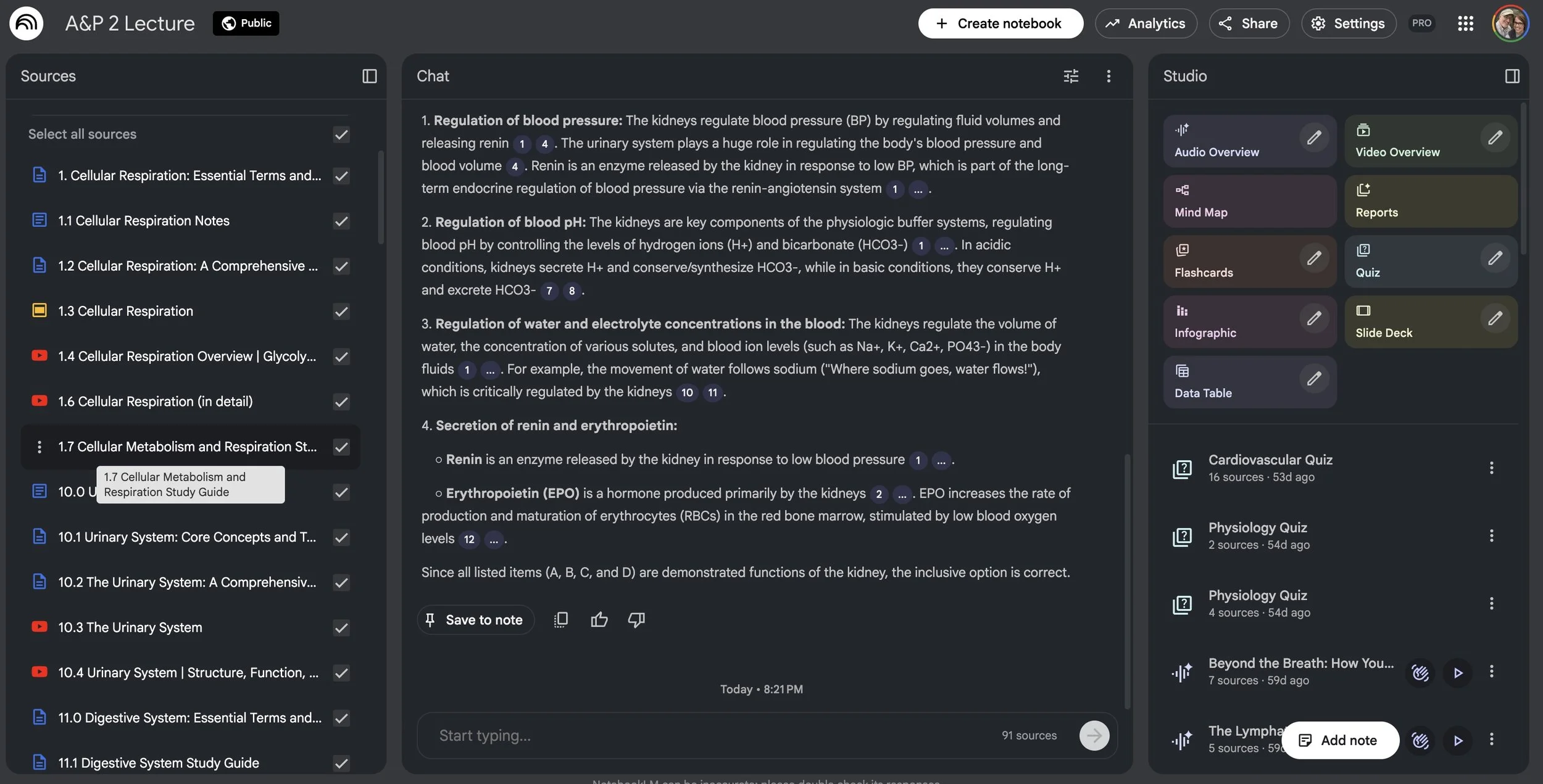
With NotebookLM, I stopped printing. Instead, I created a digital notebook for each class (e.g., "A&P 2", “Nursing 101”). I uploaded:
The PDF of the textbook chapter.
My professor’s PowerPoint slides.
The links to the lecture videos on YouTube.
Once the files were in, the AI analyzed them instantly. It connected the dots between what the book said and what the professor emphasized in class.
Step 2: The "Commute" Podcast (My Secret Weapon)
This is the feature that changed my life.
I spend a lot of time in the car—it’s an hour drive from home to class. That used to be "dead time." But NotebookLM has a feature called Audio Overview.
With one click, it takes all those dry, boring documents you uploaded and turns them into a "podcast." Two AI hosts (who sound startingly human) start discussing your material. They banter, they use analogies, and they explain complex topics in a conversational way.
I listened to "deep dives" on blood pH balance while I was stuck in traffic. By the time I got to class, I had already reviewed the material without opening a book. It turned my car into a mobile classroom.
Step 3: The Drill
Reading (or listening) is passive. To pass nursing exams, you have to be active.
When I sat down to study at night—usually after a busy day of class and life in general—I used NotebookLM to quiz me.
I would type prompts like:
"Create a 10-question multiple-choice quiz based strictly on the professor's slides regarding the pituitary gland."
"Explain the endocrine system to me like I'm 12 years old."
If I got an answer wrong, it didn't just correct me; it showed me the citation (a little number) that linked back to the exact paragraph in my notes where the answer was found.
These resources helped me make better use of my time.
Beyond School: The Real-Life Application
I want to be clear: these tools aren't just for school. They are for life.
Recently, I was diagnosed with breast cancer.
Suddenly, I wasn't just a student studying medical terms; I was a patient living them. I was handed pathology reports, lab results, and treatment plans filled with terrifying jargon.
I created a new notebook in NotebookLM called "My Health."
I uploaded my pathology reports (removing my personal info first, just to be safe) and research papers on my specific diagnosis. Then, I asked the questions I was too overwhelmed to think of in the doctor's office:
"Explain what 'HER2 Negative' means for my treatment options based on these uploaded reports."
"Summarize the potential side effects of this specific medication listed in my plan."
"Generate a list of 5 questions I should ask my oncologist at my next appointment based on this pathology."
It helped me take back control. It turned a mountain of scary data into manageable information.
The Verdict
Technology can be intimidating, especially when you feel like you're playing catch-up with a generation that grew up with iPads. But tools like this level the playing field.
Whether you are trying to pass a Pharmacology exam, understanding a new medical diagnosis, or just trying to organize a family vacation, you don't have to work harder. You have the experience and the wisdom to work smarter.
Have you tried an AI study buddy yet? Let me know in the comments below!
